- 27 Boyce's St, Gurranabraher, Cork, Ireland
- +353 87 708 2241
- info@medpov.com
MEDPOV Security Center v6.0.8-14
V6.0.8-14 VERSION RELEASED
MEDPOV Security Center v6.0.8-14 strengthens the system as a complete security operations center for PHP-based websites, admin panels, custom software, and multi-project environments. This release focuses on modular protection, smarter attack detection, improved live monitoring, stronger login security, better notification workflows, developer documentation, and expanded operational tools.
With v6.0.8, Security Center is not only a browser-based admin panel. It becomes a wider protection ecosystem that can monitor risky activity, analyze live traffic, manage IP rules, protect login endpoints, check file integrity, send security alerts, and work alongside a local AI-powered desktop assistant through F.R.I.D.A.Y Command Center.
What’s New in Version 6.0.8-14
- Modular security architecture
- SQL Injection protection
- XSS attack detection
- Command Injection detection
- Path Traversal detection
- Sensitive file probe protection
- PHP stream abuse detection
- Bad bot detection
- Fake search bot protection
- Verified good bot allowlist
- Headless browser detection
- Live traffic tracking
- Global traffic history
- Threat Map, Live Map, and Both map modes
- IP block and allow management
- Country ban support
- Login Protection Shield
- Admin 2FA authentication
- Telegram notifications
- E-mail notifications
- Security Health Center
- Core Integrity Monitor
- Incident Response Center
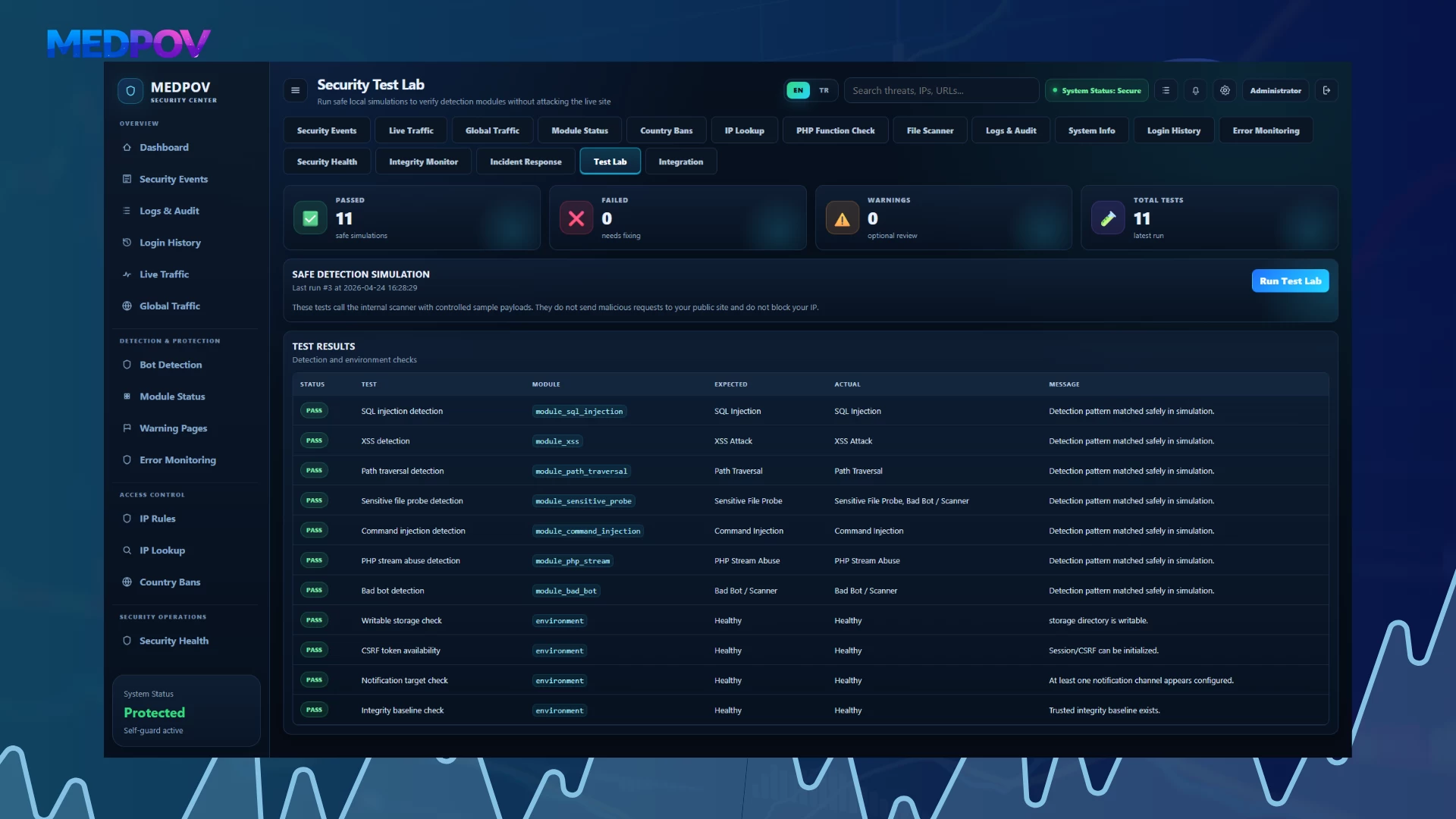
- Security Test Lab
- File Integrity / Malware Scanner
- Admin activity logs
- Login history
- Notification logs
- PHP function security check
- Port scanner
- .htaccess editor
- Hashing tools
- TR / EN language support
- Integration guide for protected websites
- Public developer API documentation page
- Responsive Turkish and English language switch support
- Improved dashboard layout and mobile overflow fixes
- Improved AI Security workflow and local AI decision history pagination
F.R.I.D.A.Y Command Center Integration
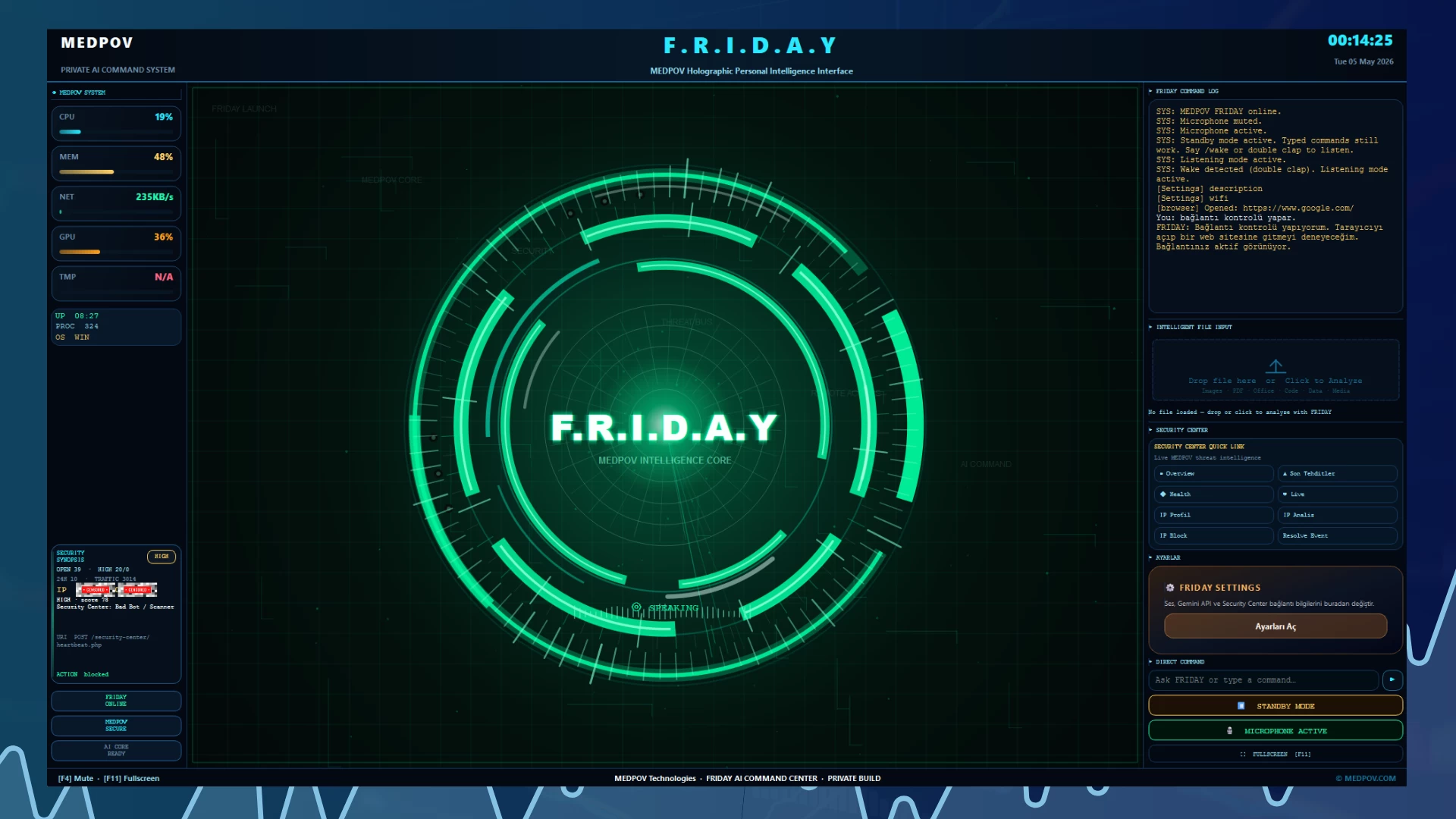
MEDPOV Security Center can now work in parallel with F.R.I.D.A.Y Command Center, a local Windows desktop AI command interface developed for administrators who want to interact with security workflows from a desktop assistant environment.
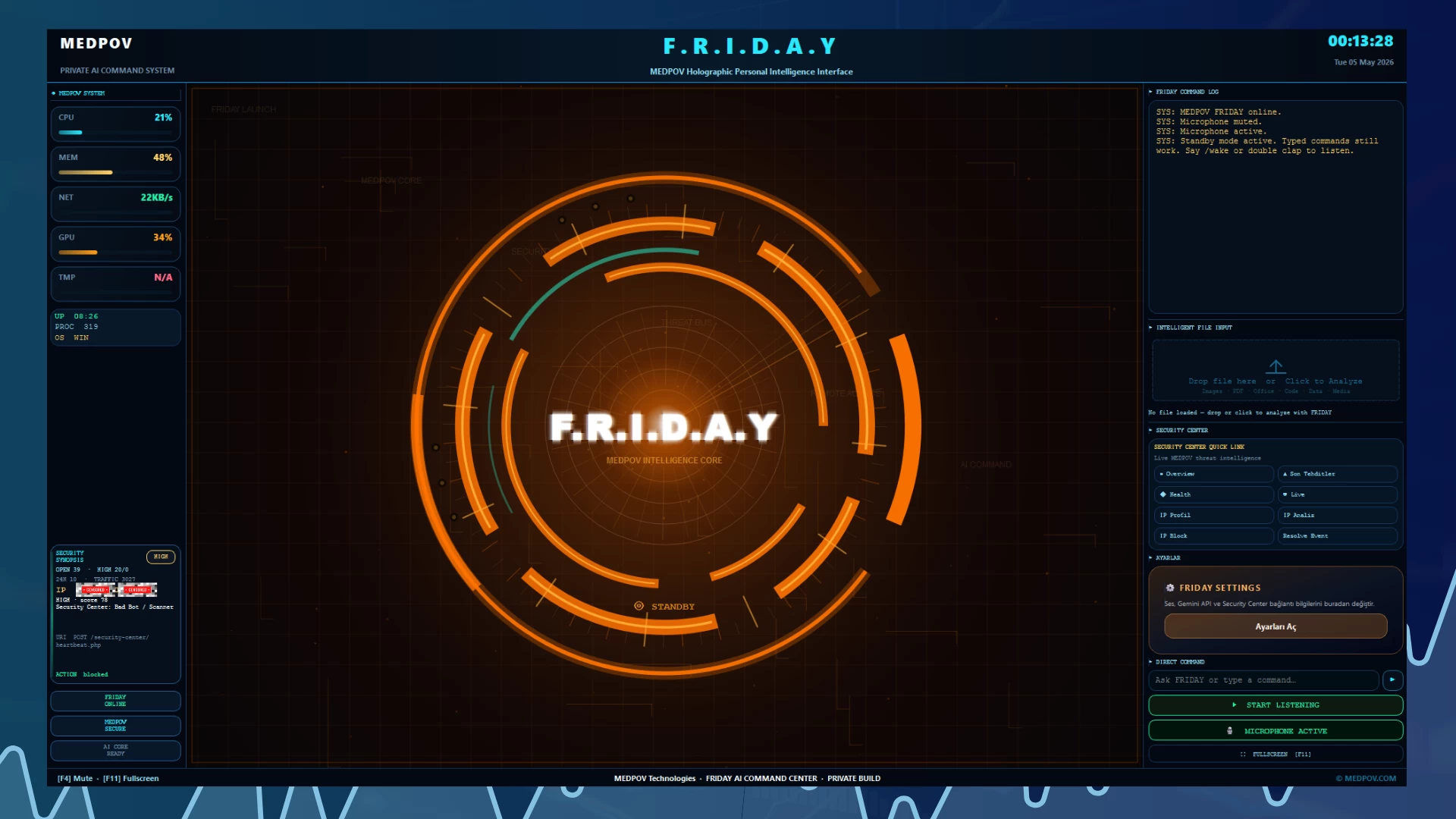
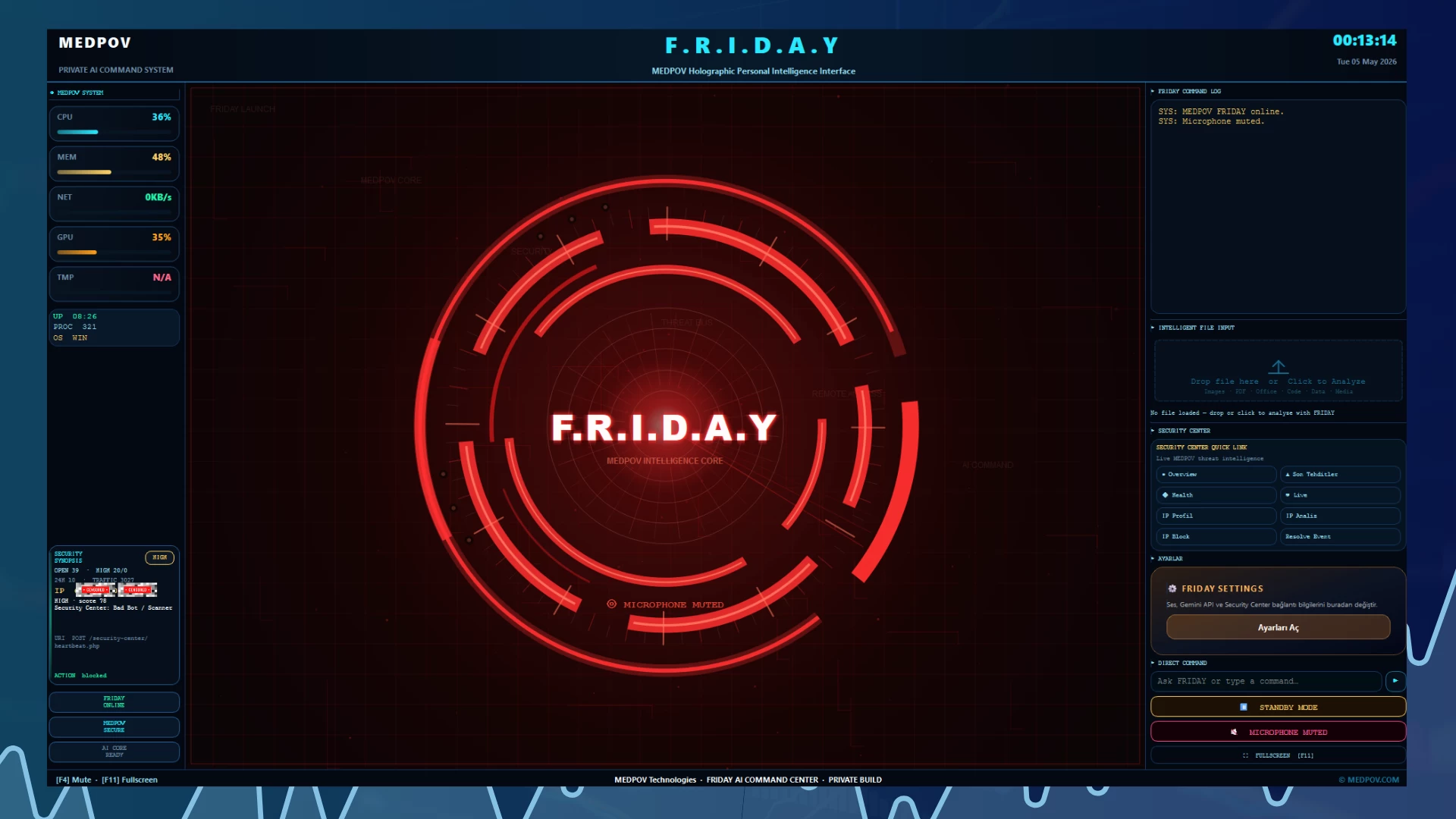
F.R.I.D.A.Y provides a holographic command-center interface, Gemini Live voice interaction, text command input, file analysis, local desktop action helpers, and optional Security Center remote integration. It is designed to help administrators review security events, analyze files, check suspicious activity, and manage supported local operations faster from their own Windows computer.
This integration extends Security Center beyond the web panel and adds a local AI-powered assistant layer for daily security monitoring, incident review, technical checks, and operational support.
F.R.I.D.A.Y Highlights
- Local Windows desktop AI command center
- Holographic F.R.I.D.A.Y style interface
- Gemini Live voice interaction support
- Female and male voice profile support
- Text command input panel
- File, image, and document analysis support
- Local desktop action helpers
- Optional MEDPOV Security Center integration
- Security Center API configuration
- Security event review support
- Suspicious IP and activity analysis support
- Editable Gemini and Security Center settings
- Standby, listening, and mute visual modes
- CMD and PowerShell installation guide
- Recommended local installation under C:\MEDPOV
- WAMP is not required
F.R.I.D.A.Y GitHub: https://github.com/elmasoral/security-center-f.r.i.d.a.y-ai
Full Product Overview
MEDPOV Security Center v6.0.8 Product Details
MEDPOV Security Center is a modular security monitoring and protection center developed for PHP-based websites, admin panels, custom software, and multi-project environments. The system brings attack detection, risk scoring, live traffic tracking, bot analysis, IP blocking, file scanning, login protection, 2FA management, Telegram/e-mail notifications, security health checks, and incident response tools together in one professional panel.
With this version, Security Center becomes more than a panel that only records attacks. It turns into an advanced security operations center that checks whether the system is installed correctly, monitors critical file changes, converts security events into actions, and helps administrators clearly understand the current security status.
Overview
MEDPOV Security Center analyzes incoming requests to your website and detects suspicious activity. It centrally records many risks such as SQL injection, XSS, command injection, path traversal, sensitive file probing attempts, malicious bots, fake search engine bots, brute-force login attempts, and high-volume traffic probe behavior.
The system classifies events by risk level, keeps IP-based records, applies automatic blocking when necessary, and notifies the administrator via Telegram or e-mail. It also allows the protected site status to be visually monitored with advanced tools such as live map, live visitor feed, global traffic history, file integrity monitoring, and security health control.
Key Features
Modular Security Architecture
Security Center works with a fully modular structure. Each protection layer can be enabled or disabled from the panel. This allows the system to run in lightweight, balanced, or more aggressive protection mode depending on the user’s needs.
The modules are grouped into main categories:
- Protection
- Bot Protection
- Client Protection
- Logging
- Automation
- Notifications
- Security Operations
- System Tools
Each module is managed from the Module Status screen with its own description, active/passive status, and responsibility area.
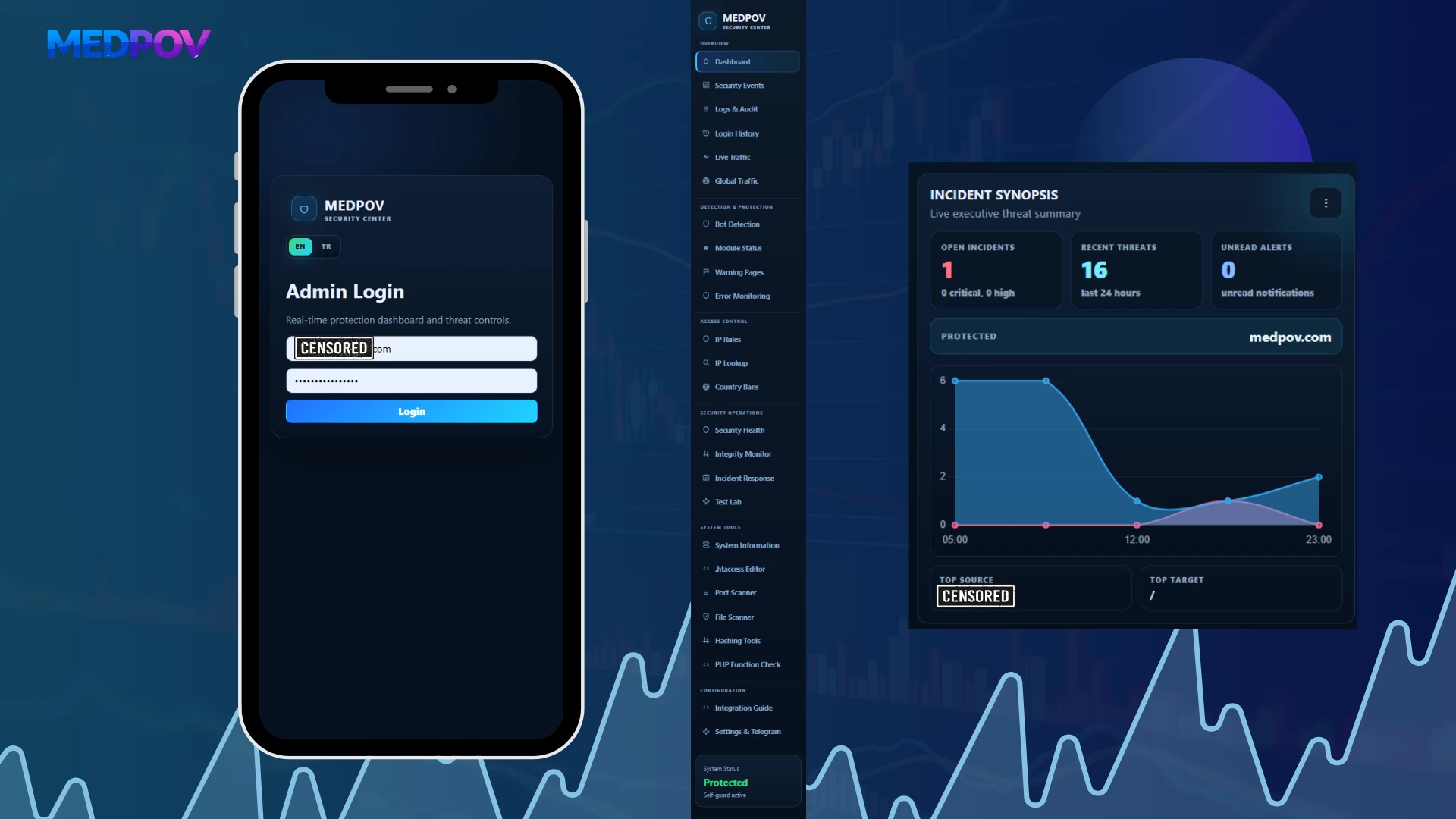
Professional Dashboard
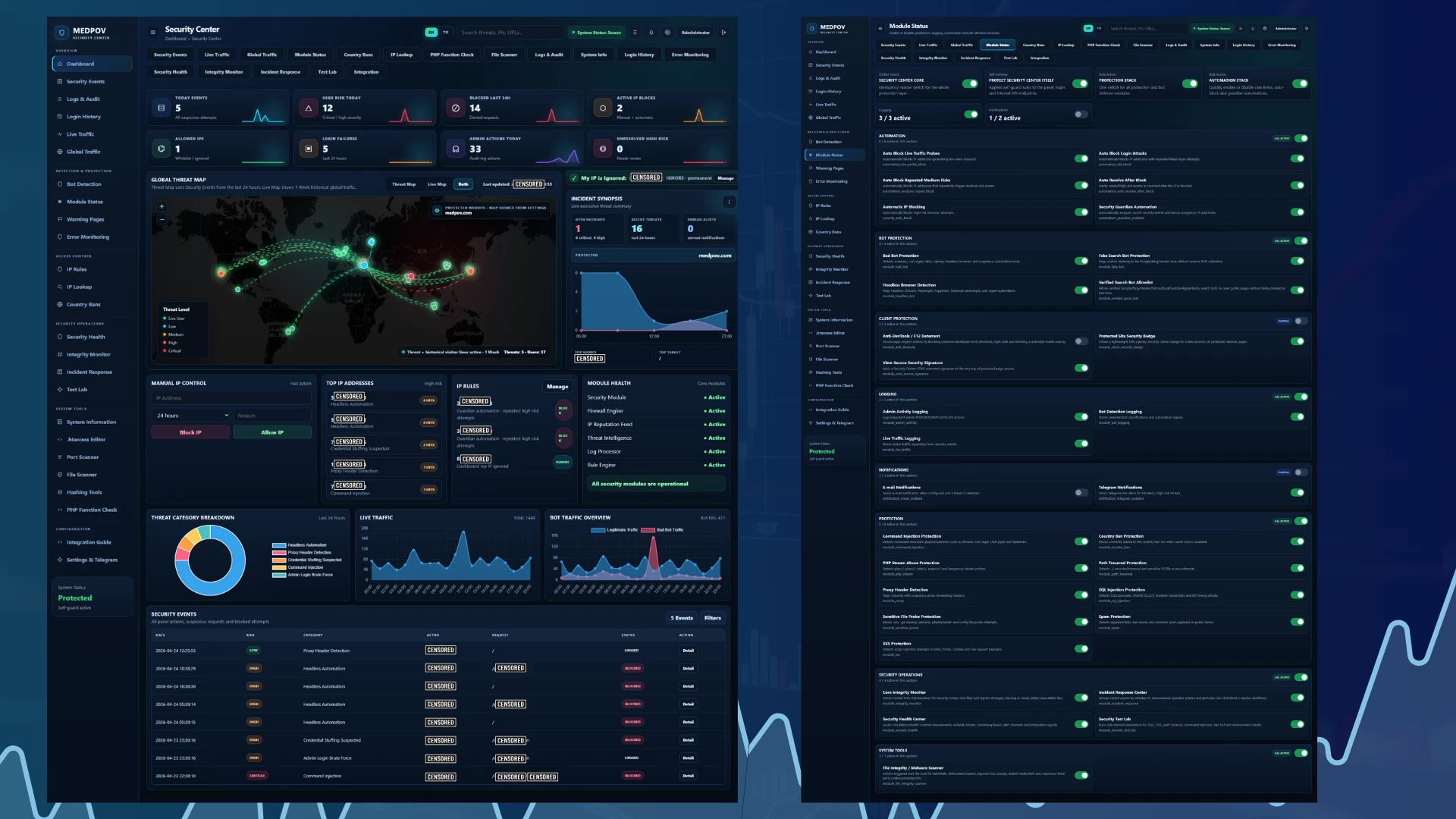
The Dashboard is the main control screen of the security center. It displays the current security status of the protected site, recent attack attempts, active IP blocks, login failures, admin actions, and risky events on a single screen.
On the Dashboard, the administrator can view:
- Today’s security events
- High-risk attempts
- Number of IPs blocked in the last 24 hours
- Active IP blocks
- Allowed / ignored IP list
- Login failures
- Admin actions
- Unresolved high-risk events
- Global Threat Map
- Incident Synopsis
- Top IP list
- IP Rules summary
- Module Health status
- Threat category breakdown chart
- Live traffic chart
- Bot traffic overview chart
- Recent security event records
This screen is designed to help the system administrator quickly understand the security situation.
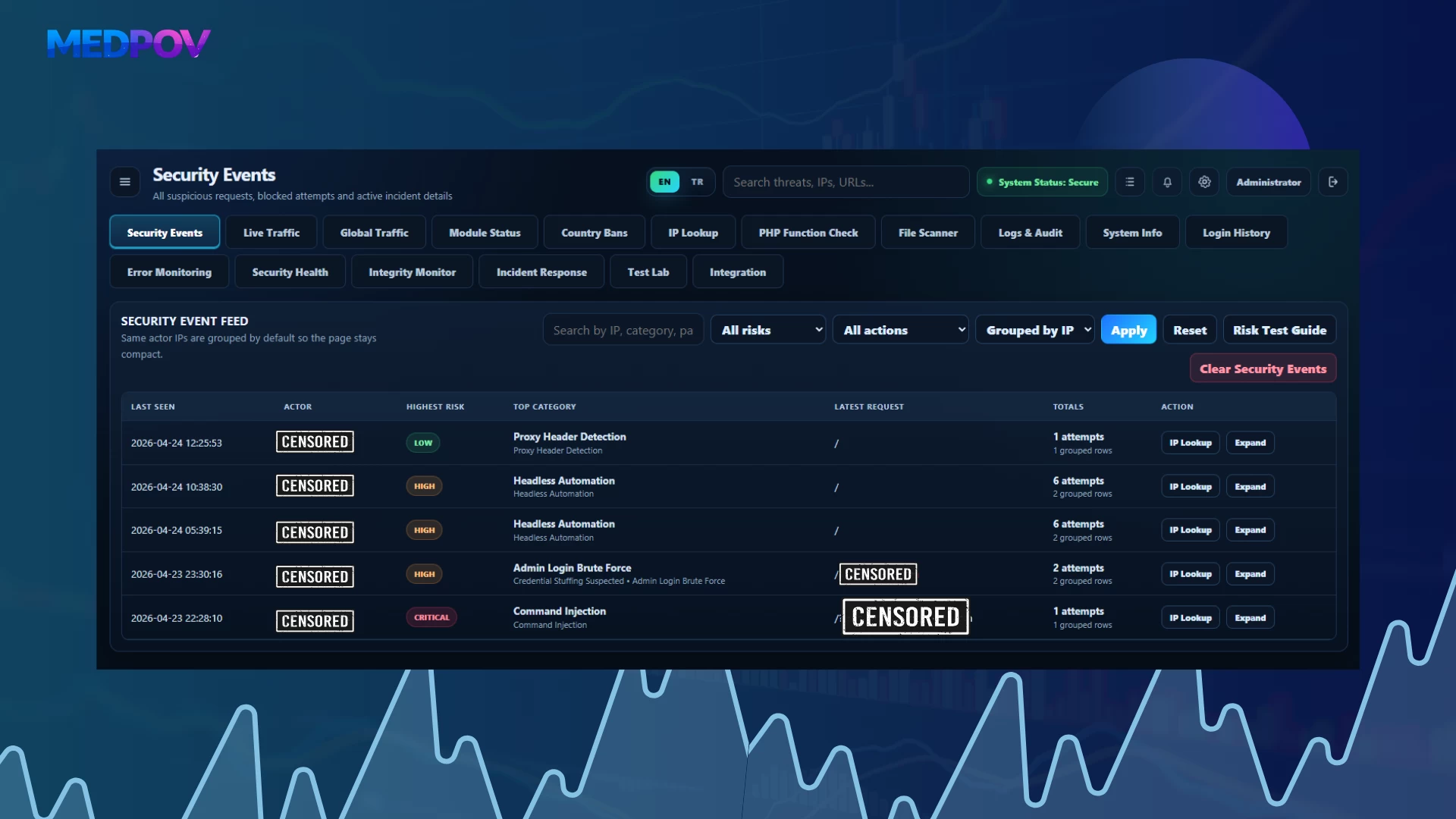
Security Events
The Security Events section lists all security events detected by the system. Each event is recorded with risk level, category, IP address, request URI information, payload content, user-agent information, country information, action status, and timestamp.
Some of the supported event types include:
- SQL Injection
- XSS Attack
- Sensitive File Probe
- Path Traversal
- Command Injection
- PHP Stream Abuse
- Bad Bot / Scanner
- Headless Automation
- Fake Search Bot
- Proxy Header Detection
- Spam Payload
- Credential Stuffing
- Admin Login Brute Force
Each event is classified as LOW, MEDIUM, HIGH, or CRITICAL according to its risk score.
Live Traffic
The Live Traffic section tracks visitor activity on the protected site separately from security events. This makes it possible to monitor not only attacks but also normal visitor traffic.
With Live Traffic, the administrator can track:
- Live visitors
- IP addresses
- Active URI information
- User-agent
- Bot status
- Country information
- First seen and last seen time
- Heartbeat status
- Visible active sessions
The heartbeat structure allows the user to remain visible in the live list as long as they stay on the site. When the user leaves or the heartbeat stops, the visitor is removed from the active list.
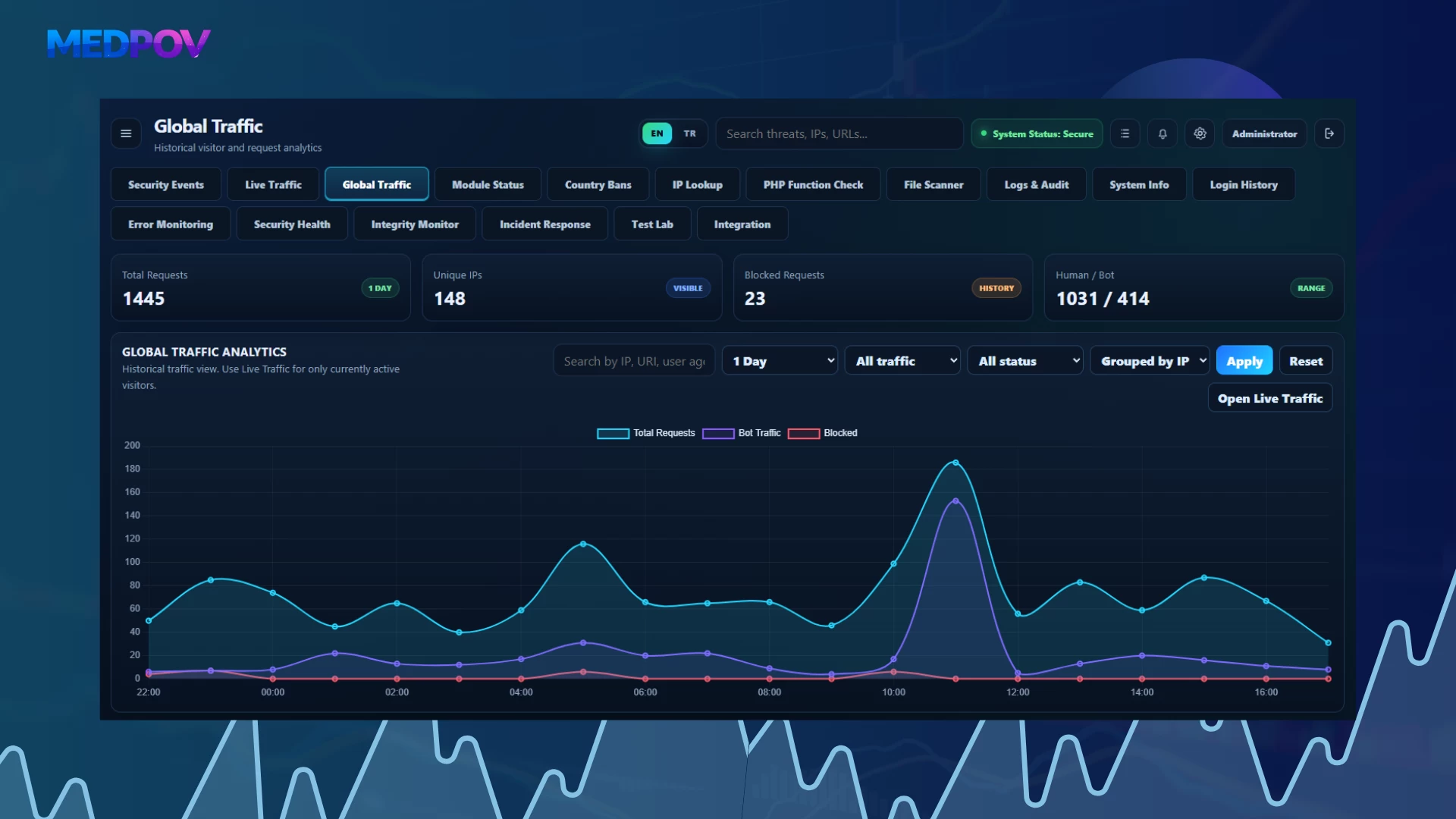
Global Traffic
The Global Traffic section is used to analyze historical traffic data. While Live Traffic only displays active visitors, Global Traffic lists previous records.
Supported filtering options:
- 1 hour
- 6 hours
- 24 hours
- 1 week
- 1 month
- 3 months
- 6 months
- 1 year
This section is especially useful for analyzing general site traffic density, bot ratio, repeated IP addresses, and suspicious visitor behavior.
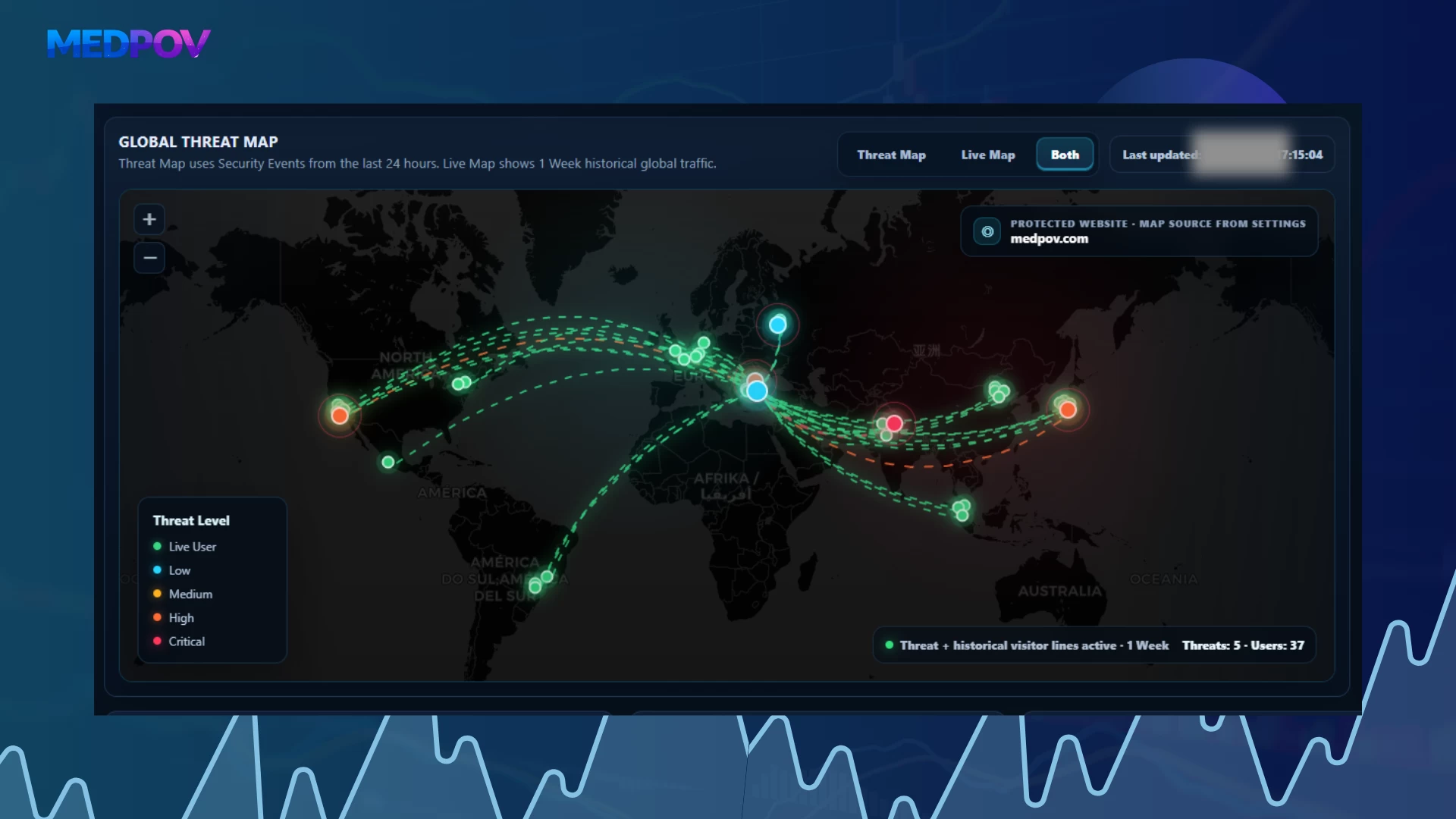
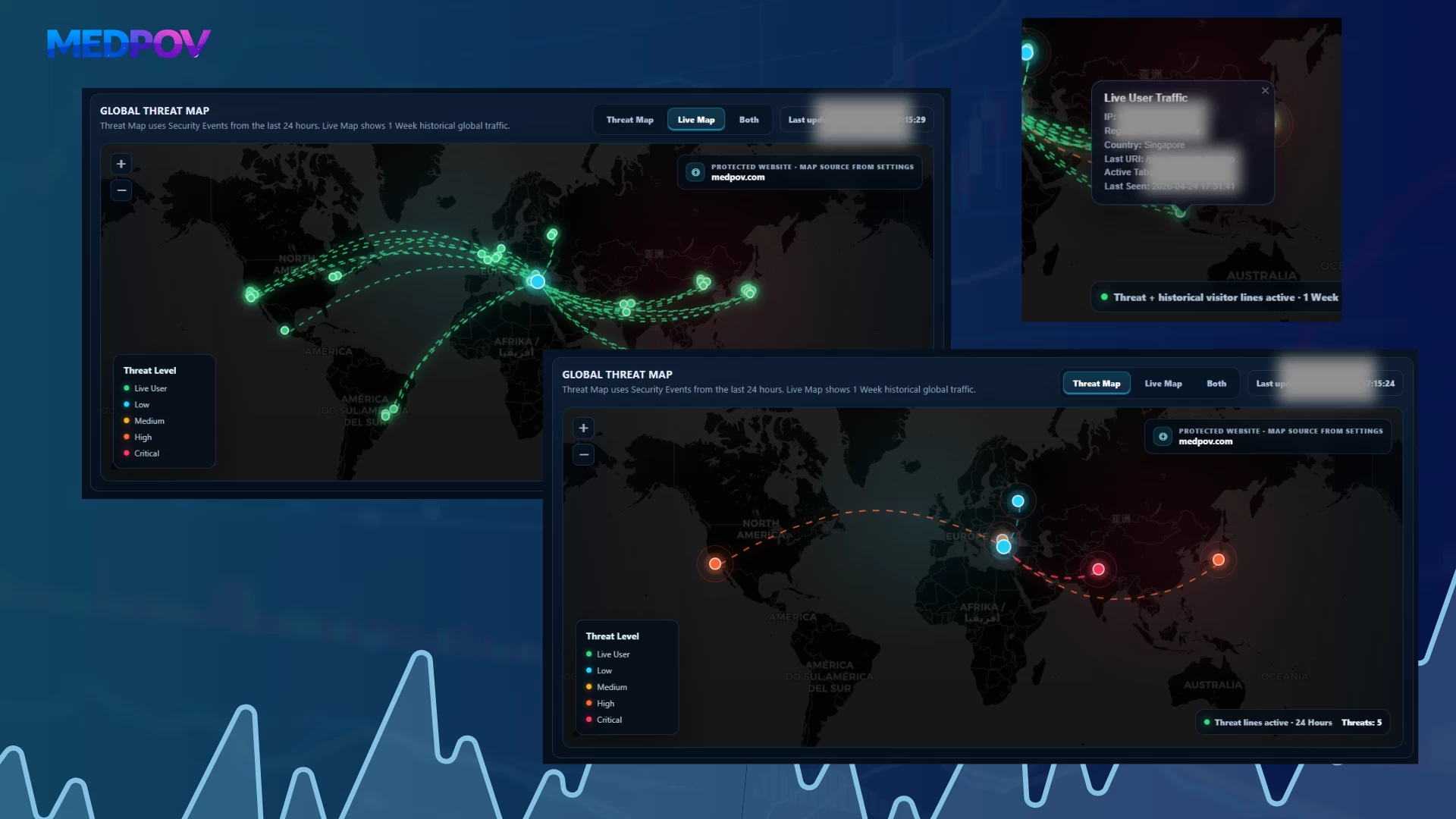
Global Threat Map
The map system inside Security Center allows attack and visitor sources to be visually tracked.
Map modes:
Threat Map
Displays attacks and risky activities from the Security Event Feed on the map. Markers are shown with different colors according to risk levels.
Example risk colors:
- Live User: green
- Low: turquoise
- Medium: yellow
- High: orange
- Critical: red
Live Map
Displays active heartbeat sessions and live visitors on the map. This allows visitors currently on the site to be visually monitored.
Both
Displays Threat Map and Live Map data at the same time. In this mode, both attack sources and active users can be analyzed on the same map.
Bot Detection
The Bot Detection system analyzes visitors through user-agent, behavior, and automation signals.
Detectable bot types include:
- sqlmap
- curl
- wget
- Nikto
- Headless Chrome
- Playwright
- Puppeteer
- Selenium
- Automations using empty or fake user-agents
- Suspicious crawler behavior
- Fake search engine bots
Bots are evaluated not only by user-agent name but also through bot signals and confidence score.
Verified Good Bot Allowlist
Security Center includes a Verified Good Bot Allowlist module to prevent real search engine bots from being blocked by mistake.
This module separates search engine bots such as Google, Bing, Yandex, Yahoo, DuckDuckGo, Apple, and Baidu using verification logic.
Main goals:
- Do not block real search engine bots
- Protect SEO crawling
- Separate fake Googlebot / Bingbot user-agent impersonations
- Recognize trusted bots with reverse DNS and forward DNS verification logic
This feature is important to prevent security protections from damaging the site’s visibility in search engines.
Fake Search Bot Protection
Some attackers try to bypass security controls by pretending to be Googlebot, Bingbot, or YandexBot.
The Fake Search Bot Protection module detects these fake bot identities. Even if the user-agent looks like a search engine bot, the event is marked as risky if verification fails.
This module is especially critical for allowing SEO bots while blocking fake bot attacks.
Headless Browser Detection
The Headless Browser Detection module helps detect automation tools and browser simulations.
Detectable examples:
- Headless Chrome
- Playwright
- Puppeteer
- Selenium
- PhantomJS-like automations
- Requests with empty user-agent
- Behavioral automation traces
This structure provides additional analysis against scraping, automated form attempts, brute-force preparation, and bot scanning activity.
IP Rules
The IP Rules section manages manually or automatically created IP rules.
Supported actions:
- IP block
- IP allow / ignore
- Temporary blocking
- Permanent blocking
- Hit count tracking
- Block reason display
- Automatic block records
- Manual administrator actions
This section allows the administrator to quickly block specific IP addresses or mark them as trusted.
Manual IP Control
The Manual IP Control area on the Dashboard is used for quick action.
The administrator can:
- Enter an IP address
- Select block duration
- Write block reason
- Block the IP address
- Add the IP address to the allowlist
This feature enables fast intervention during an attack without changing pages.
Country Bans
The Country Bans module is used for country-based access restrictions.
When GeoIP data is available, requests from specific countries can be blocked. This structure can be used to reduce unnecessary risky traffic, especially for projects that only serve specific regions.
IP Lookup
The IP Lookup screen is used to obtain detailed information about IP addresses.
In this section, the administrator can review:
- IP address
- Possible country / location
- Network information
- Risk assessment
- Previous records
- Security Event history
- Traffic history
- Block/allow status
When the same Telegram channel or the same Security Center is used for multiple sites, this makes it easier to analyze IP sources and event history.
Login Protection Shield
Login Protection Shield is developed to protect admin and user login screens against brute-force, credential stuffing, and high-volume login attempt attacks.
Protection features:
- Login endpoint flood control
- Failed login attempt tracking
- IP-based limit
- User-based limit
- Temporary lockout
- Strict blocking
- Credential stuffing detection
- Distributed attack attempt analysis
- Admin login log records
- Monitoring successful and failed logins
The system can monitor not only the Security Center admin login but also the admin/user login processes of the integrated website.
Admin Two-Factor Authentication
With Security Center v5.9+, a second login layer has been added for the admin panel.
2FA features:
- Google Authenticator support
- Microsoft Authenticator support
- Authy support
- 1Password Authenticator support
- Fast setup with QR code
- Manual setup key
- 6-digit TOTP verification
- Recovery code generation
- Automatic invalidation of used recovery codes
- Authenticator secret reset
- Security verification for disabling 2FA
- Logging successful / failed 2FA attempts
The login flow first asks for the normal admin password and then the 2FA code. This prevents panel access without second verification even if the password is known.
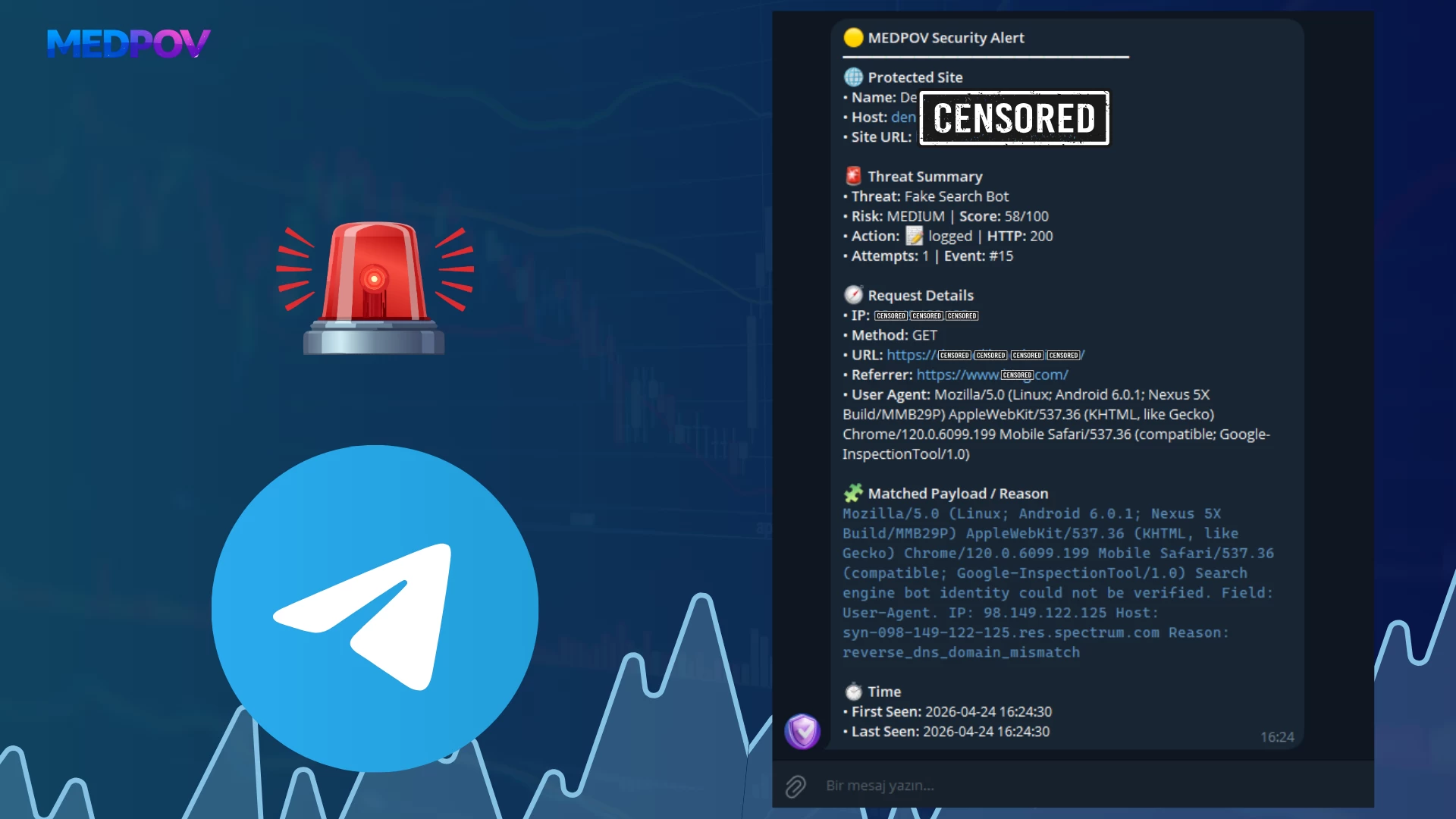
Notification System
Security Center includes a notification system to alert administrators about critical events.
Supported notification channels:
- Telegram bot notification
- E-mail notification
- Notification log record
- Telegram test message
- Event-based risk level filter
- Option to notify only blocked events
- Protected site name and protected site URL information
Notifications can display which site the event came from, IP address, risk level, category, request URL, and action information. This is especially important when multiple Security Centers are connected to the same Telegram channel.
Settings & Telegram
The Settings & Telegram screen is the main configuration area of the system.
Manageable sections on this screen:
- Protected site name
- Protected site URL
- Security alert e-mail
- Telegram bot token
- Telegram chat ID
- Notification risk level
- Send only blocked events option
- Admin 2FA settings
- Login Protection Shield settings
- Dashboard map settings
- Database maintenance tools
- Default panel language
- Self-protection thresholds
- Heartbeat debug logging
- Telegram test sending
Database cleanup tools can also be used to safely clear Live Traffic, Security Event Feed, Notification Log, and Admin/Login Audit records.
Module Status
The Module Status section is where the entire modular structure of Security Center is managed.
Each module can be enabled or disabled individually on this screen. It also includes group-based enable/disable logic.
Module groups:
- Security Center Core
- Security Center Core
- Protect Security Center Itself
- Protection Stack
- Automation Stack
- Logging
- Notifications
- Protection
- SQL Injection Protection
- XSS Protection
- Sensitive File Probe Protection
- Path Traversal Protection
- Command Injection Protection
- PHP Stream Abuse Protection
- Spam Protection
- Proxy Header Detection
- Country Ban Protection
- Bot Protection
- Bad Bot Protection
- Fake Search Bot Protection
- Headless Browser Detection
- Verified Search Bot Allowlist
- Client Protection
- Protected Site Security Badge
- View-Source Security Signature
- Anti-DevTools / F12 Deterrent
- Logging
- Admin Activity Logging
- Bot Detection Logging
- Live Traffic Logging
- Automation
- Automatic IP Blocking
- Auto Block Login Attacks
- Auto Block Repeated Medium Risks
- Auto Block Live Traffic Probes
- Security Guardian Automation
- Auto Resolve After Block
- Notifications
- E-mail Notifications
- Telegram Notifications
- Security Operations
- Security Health Center
- Core Integrity Monitor
- Incident Response Center
- Security Test Lab
- System Tools
- File Integrity / Malware Scanner
This structure allows the system to scale according to need without adding unnecessary load.
SQL Injection Protection
The SQL Injection Protection module analyzes SQL injection attempts in URL, query string, form payload, cookie, and raw request content.
Detectable examples:
- UNION SELECT
- Boolean based SQLi
- information_schema scans
- sleep / benchmark / waitfor delay
- load_file
- into outfile
- updatexml / extractvalue
- SQL comment injection
These events are usually recorded as high or critical risk.
XSS Protection
The XSS Protection module detects script injection and browser-based payload attempts.
Detectable examples:
Ask before you buy
Get clarification from the developer to purchase with confidence.
Please login to ask a question.
Questions & Answers
No questions yet. Be the first to ask!
Support & Delivery
- Licensed digital product (license information is generated after purchase).
- Automatic delivery (files become instantly accessible after payment).
- Installation and basic usage support.
- You can use the Q&A section on the product page for your questions.
Quick Info
MEDPOV Security Center
MEDPOV Security Center, The system brings together attack detection, risk scoring, live traffic monitoring, bot analysis, IP blocking, file scanning, login protection, 2FA management, Telegram/email notifications, security health auditing, and incident response tools in a single professional dashboard.
Demo & Delivery
- Instant download after payment
- License key included
- Public demo may reset
MEDPOV
Digital scripts Licensed products
V6.0.8-14 VERSION RELEASED
What’s New in Version 6.0.8-14
- TR / EN language support
- Integration guide for protected websites
- Public developer API documentation page
- Responsive Turkish and English language switch support
- Improved dashboard layout and mobile overflow fixes
- Improved AI Security workflow and local AI decision history pagination
- F.R.I.D.A.Y Command Center Integration
Latest products

MedExam - Online Examination System
11,999.00₺9,599.20₺

Medina App – Full Islamic Lifestyle Platform
8,500.00₺6,800.00₺

Valorant Marketplace Script
16,500.00₺13,200.00₺

Laravel Corporate Website Script
13,500.00₺10,800.00₺
Get in Touch
Contact us for product questions, pre-sales information, or support related to our ready-made digital products.
Install Application
Install our app for a faster and better experience on your device.